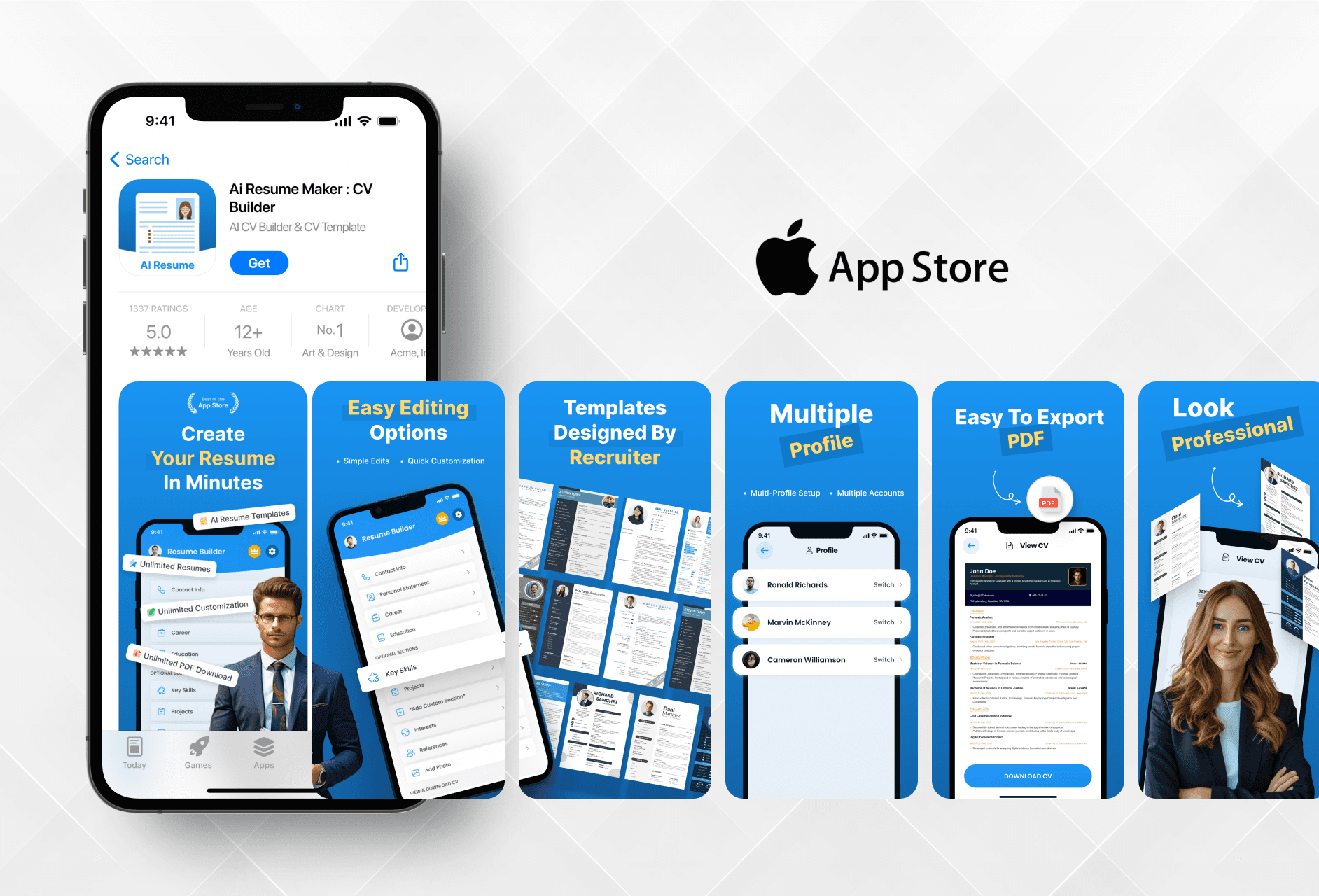
I aimed to design App Store visuals that clearly communicate app value and drive user downloads through clean and structured presentation.

Ajay Jotangiya
UI/UX & Graphics Designer
I aimed to design App Store visuals that clearly communicate app value and drive user downloads through clean and structured presentation.
Ajay Jotangiya
UI/UX & Graphics Designer
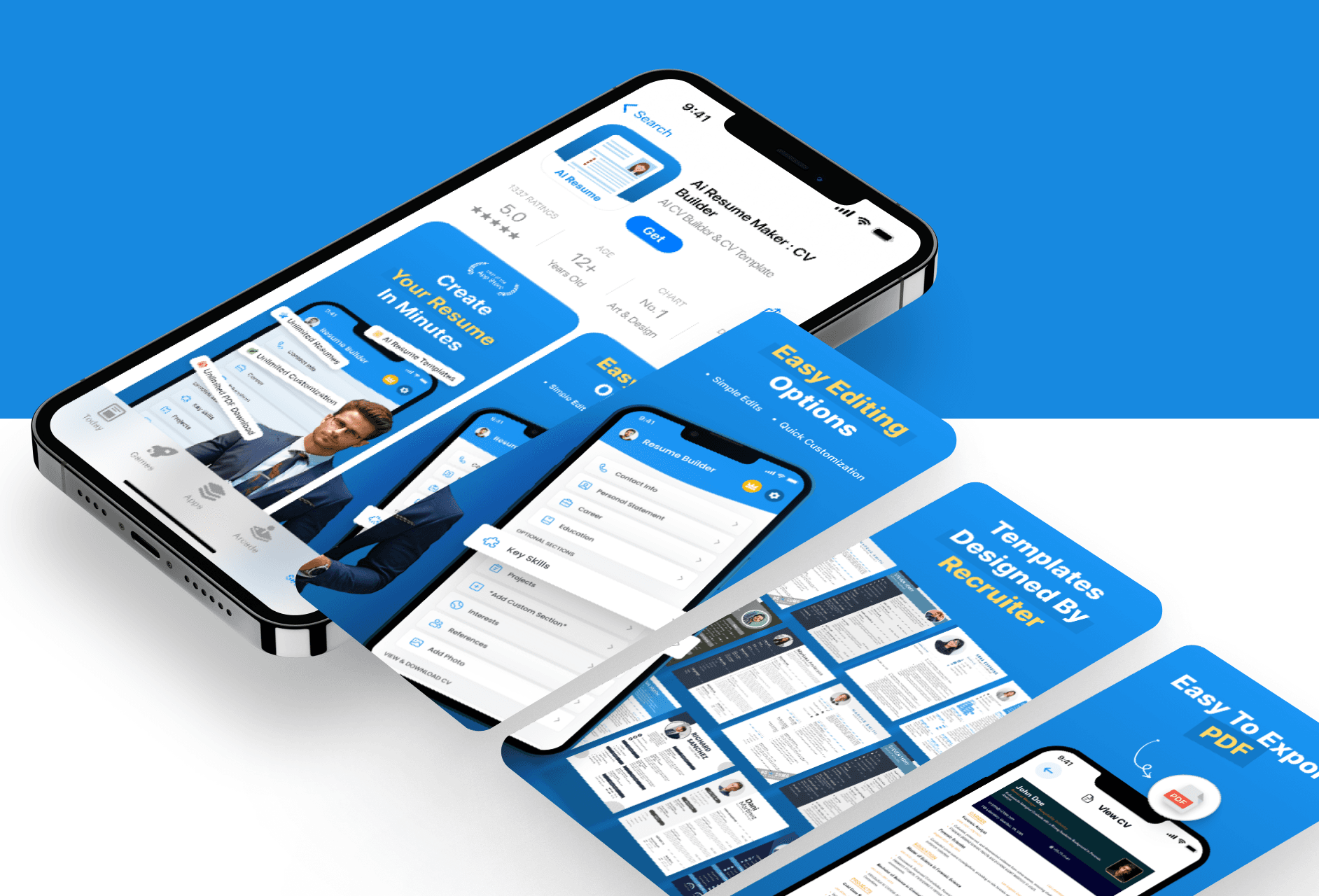
This was a one-week project focused on creating App Store marketing assets including screenshots, an icon, and UI improvements for AI Resume Maker. The goal was to attract users and increase downloads through visual clarity.
This was a one-week project focused on creating App Store marketing assets including screenshots, an icon, and UI improvements for AI Resume Maker. The goal was to attract users and increase downloads through visual clarity.
Focused Feature Highlights
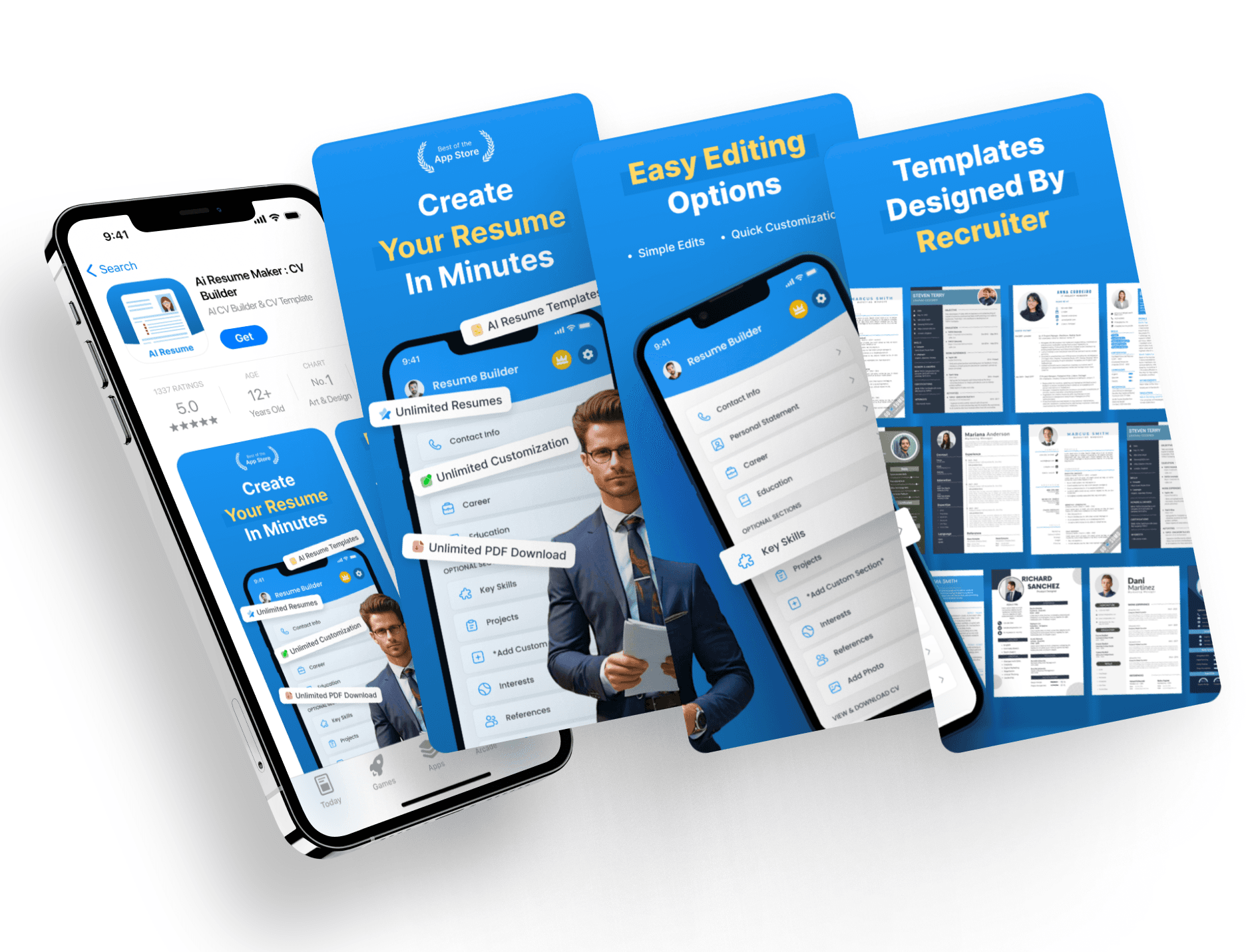
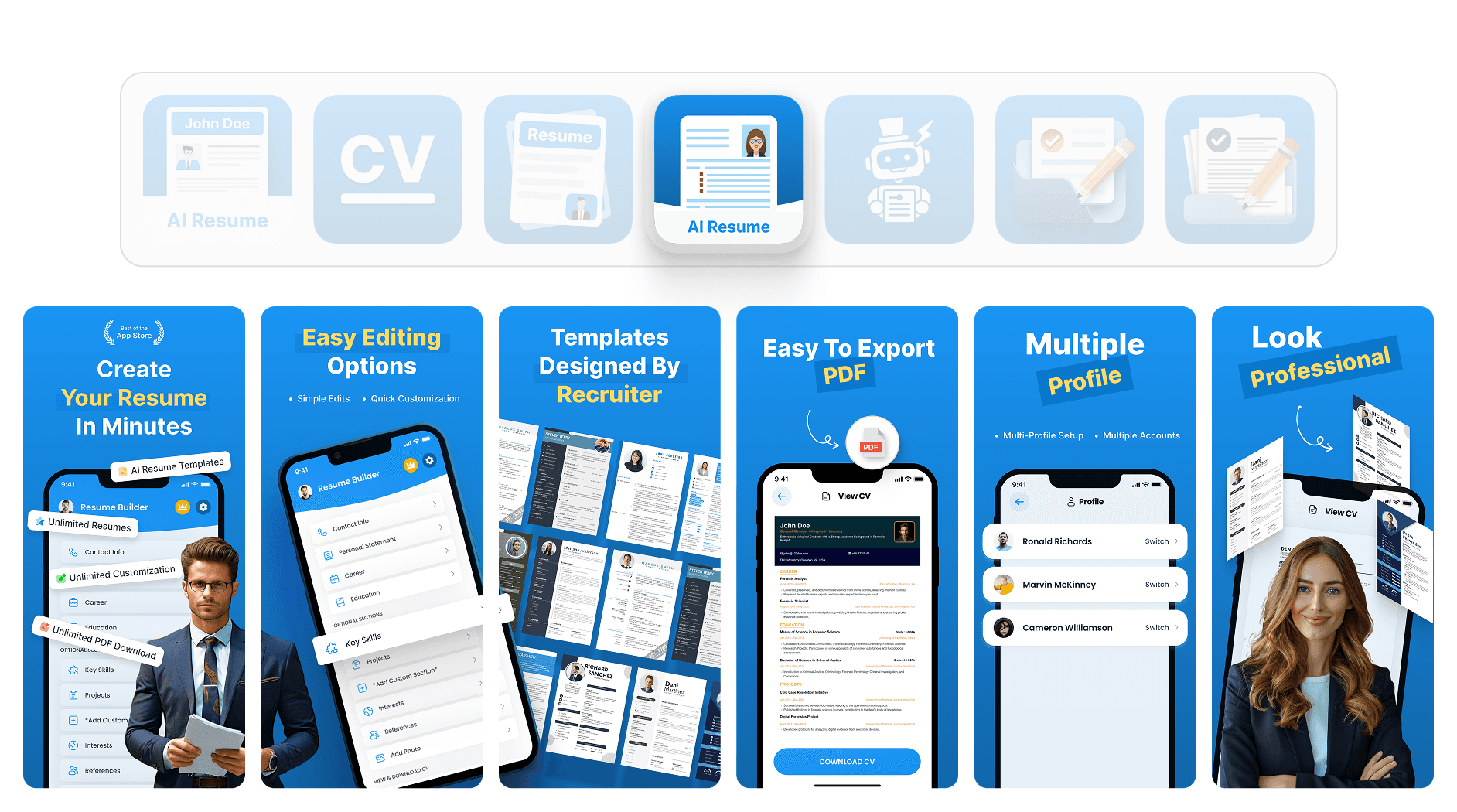
Each screenshot was designed to highlight features that matter most to the user, like resume templates, easy editing, and PDF export.
I started by going through the app to understand what features are most useful for the end user. I noted them down and decided how to visually present them in the screenshots. My process was simple. First, analyze the app. Then identify key features. After that, map each one to a screen. I designed with clarity in mind, using clear titles, real screens, and simple layouts. I took inspiration from App Store trends on Pinterest and adapted what works. Once the first draft was done, I shared it with the client, took feedback, and made iterations to refine alignment, spacing, and visual flow. The final result made each feature easy to notice and understand.
Focused Feature Highlights
Each screenshot was designed to highlight features that matter most to the user, like resume templates, easy editing, and PDF export.
I started by going through the app to understand what features are most useful for the end user. I noted them down and decided how to visually present them in the screenshots. My process was simple. First, analyze the app. Then identify key features. After that, map each one to a screen. I designed with clarity in mind, using clear titles, real screens, and simple layouts. I took inspiration from App Store trends on Pinterest and adapted what works. Once the first draft was done, I shared it with the client, took feedback, and made iterations to refine alignment, spacing, and visual flow. The final result made each feature easy to notice and understand.
Icon and Visual Consistency
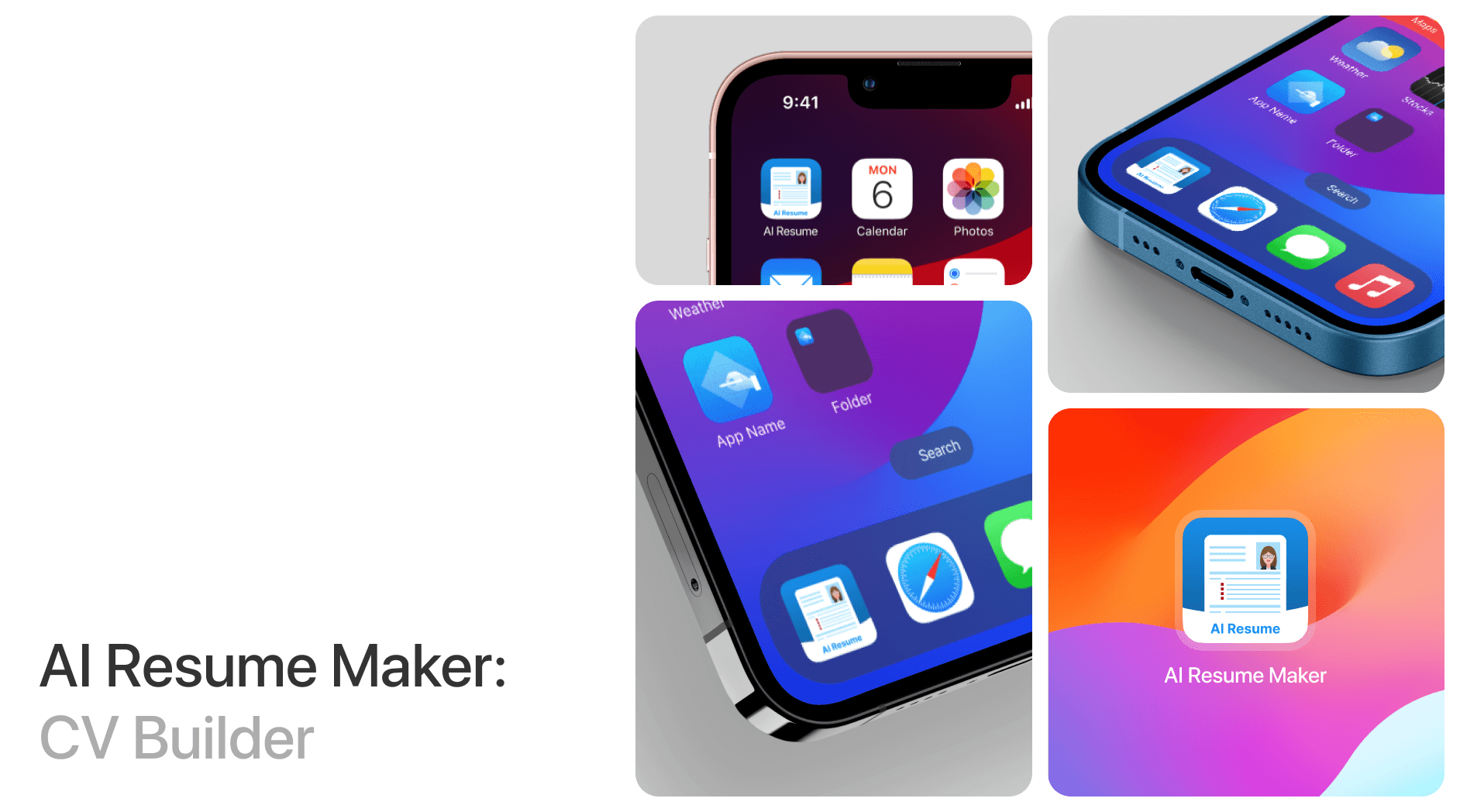
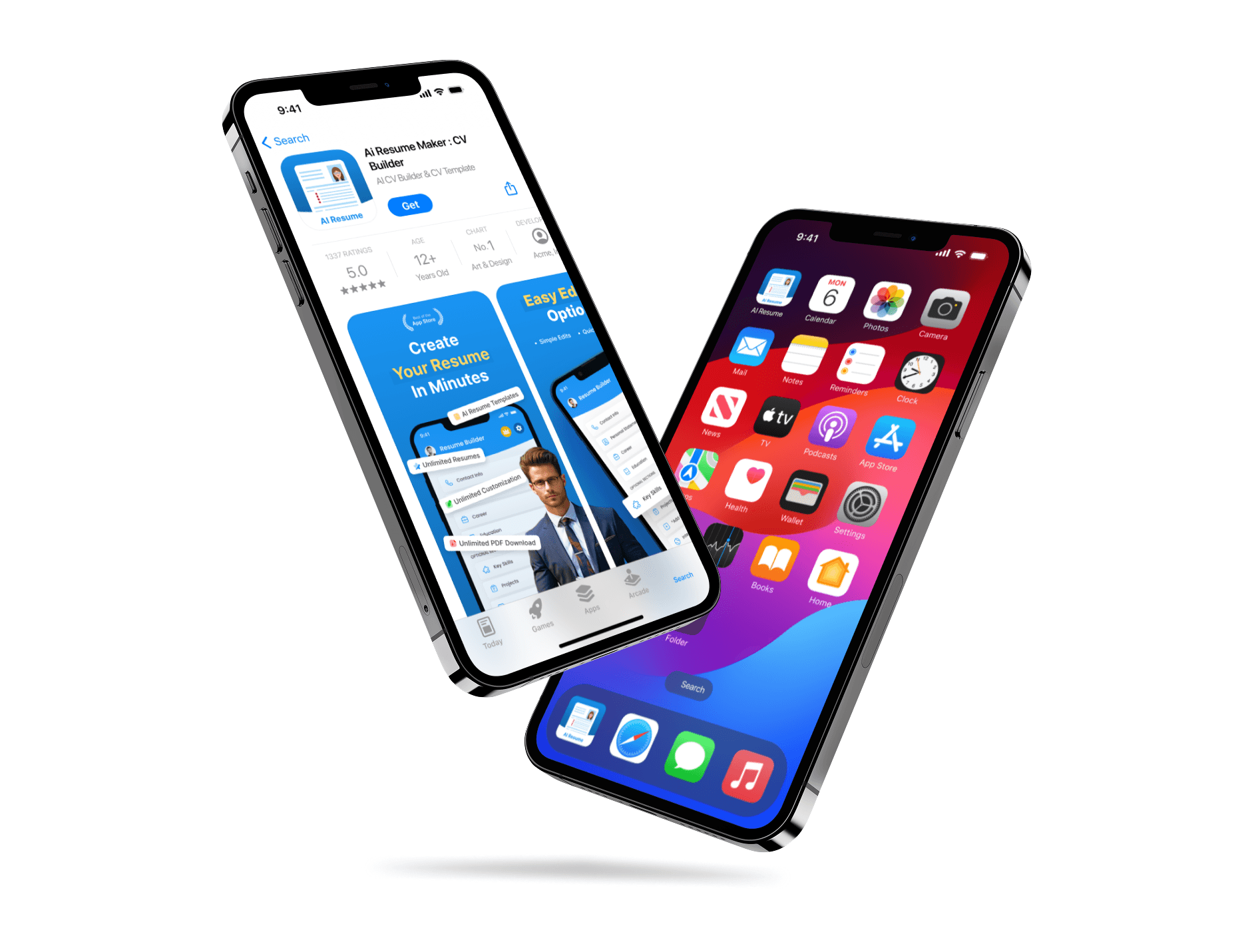
The icon was redesigned to reflect the app’s function in a clean and trustworthy way, matching the overall UI language.
The existing icon looked generic and lacked alignment with the app’s purpose. I simplified it by focusing on a clear visual that immediately signals resume or CV creation. I used a modern color palette and shapes that fit well with current iOS aesthetics. Alongside this, I made small UI improvements inside the app like layout alignment, font adjustments, and visual clarity across screens. These changes helped the app appear more refined and consistent. Before the redesign, the visual communication was weak. After the improvements, the app felt professional and trustworthy, making it easier for users to understand its value in seconds.
Icon and Visual Consistency
The icon was redesigned to reflect the app’s function in a clean and trustworthy way, matching the overall UI language.
The existing icon looked generic and lacked alignment with the app’s purpose. I simplified it by focusing on a clear visual that immediately signals resume or CV creation. I used a modern color palette and shapes that fit well with current iOS aesthetics. Alongside this, I made small UI improvements inside the app like layout alignment, font adjustments, and visual clarity across screens. These changes helped the app appear more refined and consistent. Before the redesign, the visual communication was weak. After the improvements, the app felt professional and trustworthy, making it easier for users to understand its value in seconds.
Latest projects
Website
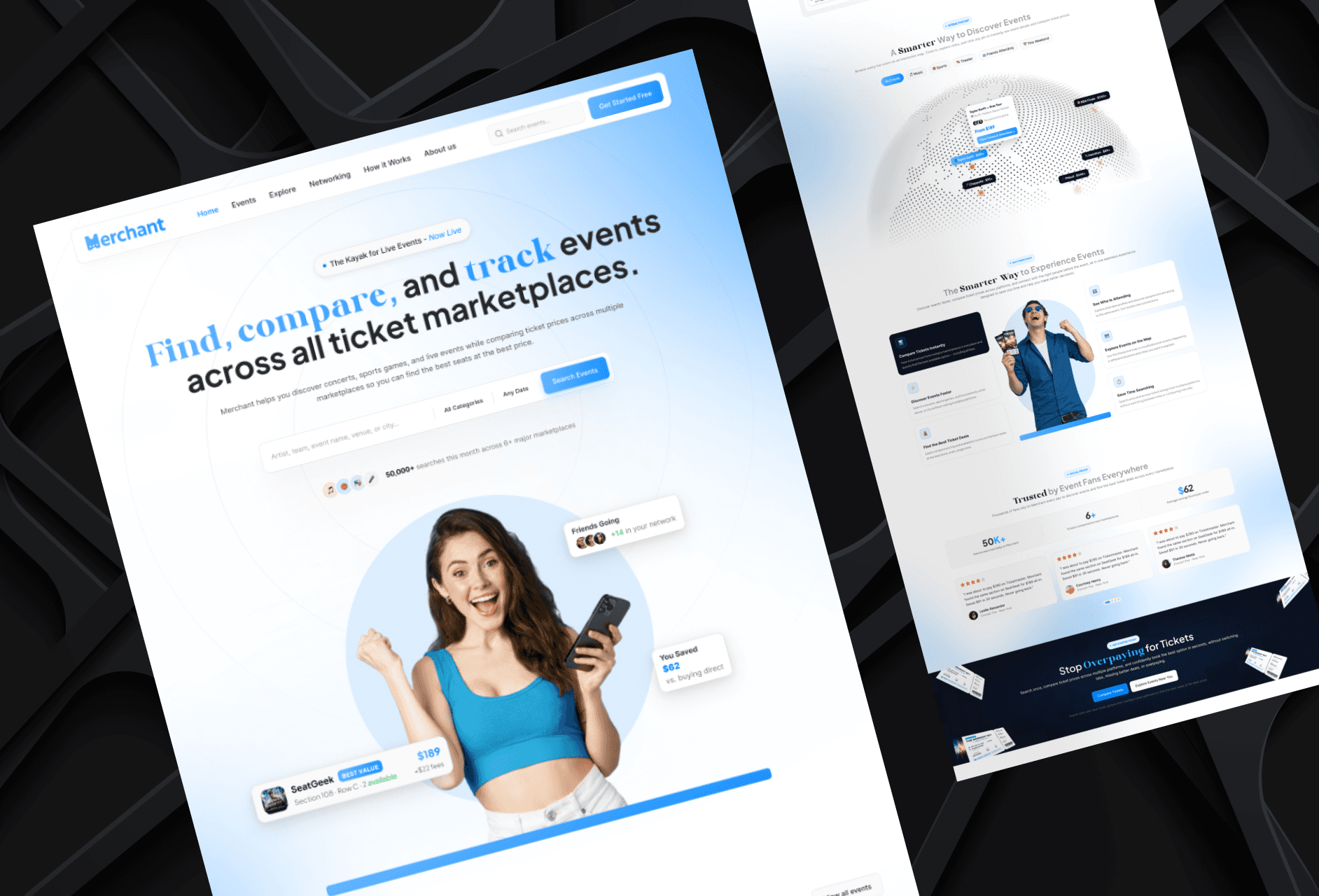
Landing Page Refinement for Ticket Marketplace Platform
Refined an AI-generated landing page to improve visual quality, structure, and user experience.
Website
Landing Page Refinement for Ticket Marketplace Platform
Refined an AI-generated landing page to improve visual quality, structure, and user experience.
Website
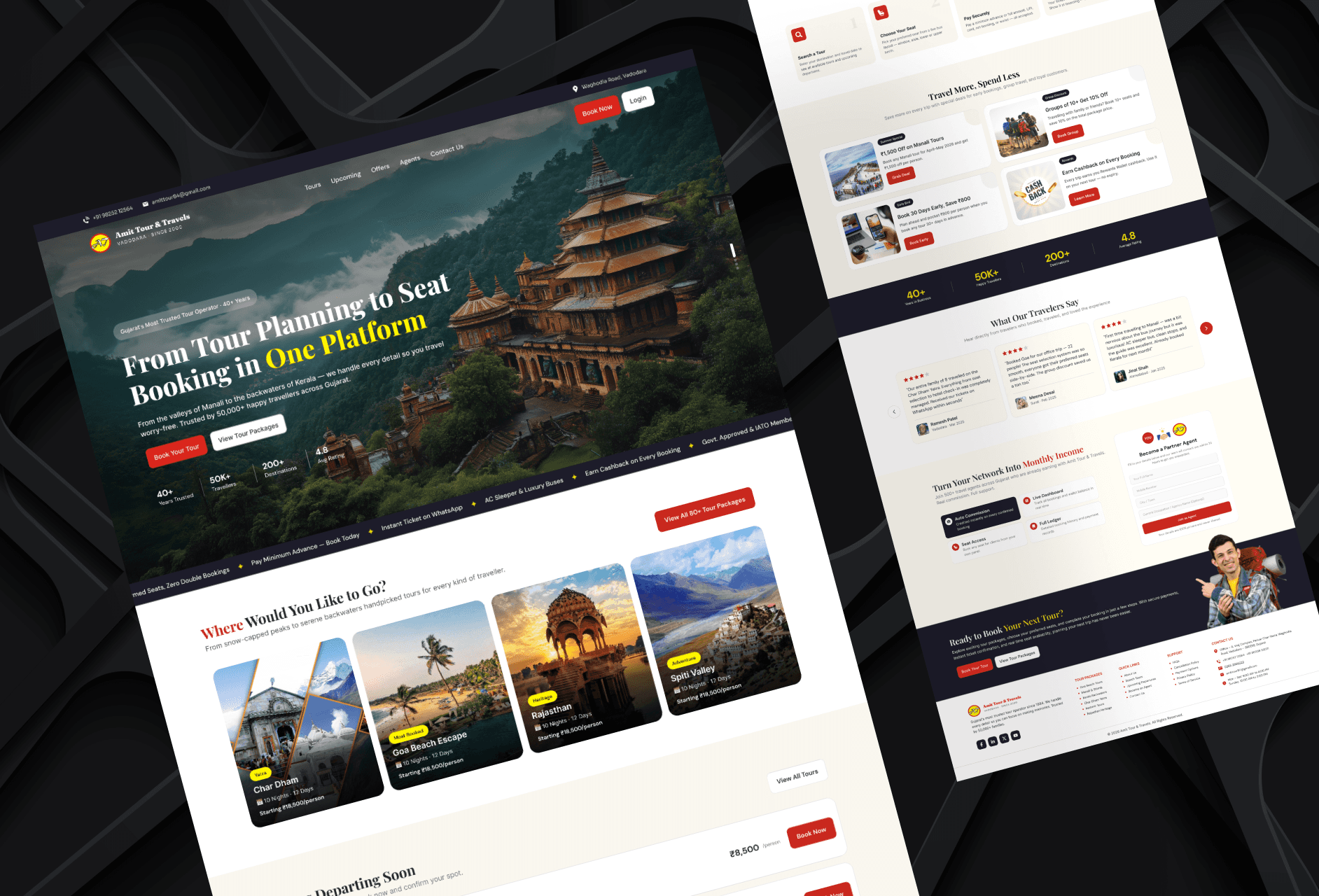
Tour Booking Website Design for Online Growth
Designed a 3-page tour booking website to help a travel business build online presence and simplify bookings.
Website
Tour Booking Website Design for Online Growth
Designed a 3-page tour booking website to help a travel business build online presence and simplify bookings.
Latest projects
Website
Landing Page Refinement for Ticket Marketplace Platform
Refined an AI-generated landing page to improve visual quality, structure, and user experience.
Website
Tour Booking Website Design for Online Growth
Designed a 3-page tour booking website to help a travel business build online presence and simplify bookings.